App Development in Raleigh - North Carolina | Orbilon Tech
App Stores Don't Grade on a Curve. That's Why Raleigh's Best Apps Get Built Differently.
App development in Raleigh presents unique challenges compared to web development. Every mobile app gets graded by the entire iPhone-and-Android-using public — in star ratings, in App Store reviews, in screen recordings posted to Reddit and TikTok. There is no “internal beta” forever. Sooner or later, your app sits next to better-funded competitors in the same App Store search result, and the user picks one.
That single reality shapes how serious Triangle teams approach app development.
Raleigh has spent years building a mobile-fluent buyer base. UNC Health ships a wayfinding app to navigate UNC Medical Center and UNC REX Healthcare with turn-by-turn indoor directions, MyChart access, and on-demand virtual care. Duke Health operates a full mobile suite — Haiku, Canto, MyChart access through Maestro Care — secured behind Duke Health MDM and tunnel apps. WakeMed runs its own patient-facing platform. Apple’s planned $1 billion+ Research Triangle Park campus is building a deep iOS engineering bench right outside the city limits. Pendo’s mobile analytics tooling lives downtown. Every one of these products defines what “good” looks like for an app shipping into the Triangle.
For businesses looking for the best app development company in Raleigh — one that builds apps cleared for App Store review, Play Store deployment, healthcare-grade compliance, and the consumer-grade polish Triangle users have been trained to expect — Orbilon Technologies delivers custom mobile app development in Raleigh end-to-end. Native iOS in Swift and SwiftUI, native Android in Kotlin and Jetpack Compose, cross-platform builds in Flutter and React Native, and the backend, MLOps, and observability infrastructure real production apps need to survive their first 10,000 installs.
What Apple and Google Actually Reject — and Why Most First-Time Submissions Don't Make It Through?
Most app vendor pitches skip past the single hardest moment in any mobile project: the day the build hits App Store Review or Google Play’s pre-launch report. That is the gate where amateur work gets exposed in public. Apple and Google publish thousands of guideline pages between them, and reviewers actively use them.
Here is what gets flagged most consistently — and what serious Raleigh teams build to avoid.
- Apple’s privacy enforcement is the single biggest source of rejections. App Tracking Transparency (ATT) prompts that don’t appear before any IDFA collection, App Privacy declarations on App Store Connect that contradict what the binary does — Apple finds these almost every time. Healthcare apps shipping into the Duke and UNC orbits face an even higher bar because Guideline 5.1.1 (Data Collection and Storage) is interpreted strictly for medical data.
- Google’s target SDK enforcement keeps moving. Google Play raises the minimum target SDK level on a published schedule. Apps that don’t keep up get blocked from new installs and updates. Adding to that, Google Play’s pre-launch report runs your app on a fleet of real devices and surfaces ANRs, crashes, and security vulnerabilities before reviewers ever look at it. Hire app developers in Raleigh who don’t keep target SDKs current, and your launch window slips.
- Human Interface Guideline violations are subjective and consistent. Apple flags inconsistent navigation patterns, low-contrast text, missing Dynamic Type support, broken Dark Mode, and force-portrait apps that should support landscape. Google flags Material 3 design violations, broken predictive back gestures, and Edge-to-Edge layout issues. Reviewers care.
In-app purchase compliance is non-negotiable. Both stores require digital goods to flow through the platform’s IAP system. Healthcare apps with subscription components, SaaS companion apps with paid tiers, and consumer apps with paywalls all get checked against this rule. - Accessibility flags are now active rejection territory. VoiceOver and TalkBack support, sufficient touch target sizes (44pt minimum on iOS, 48dp on Android), color contrast ratios above WCAG 2.1 AA thresholds, and reduced-motion handling are reviewed both by automated tools and by human reviewers. Apps that fail these checks face delays.
The teams that ship cleanly here build to the guidelines from sprint one, not as a remediation pass before submission.
Native, Cross-Platform, or Hybrid? The Stack Decision Behind Every Triangle App
One architectural decision in mobile that web teams never have to consider is the most critical one: which platform layer the app actually lives on. Raleigh’s best mobile app developers begin every project with this choice since it determines cost, performance, recruiting, and the roadmap for the following several years.
There isn’t a single correct answer for everything. For your product, team, and customer, there is just the correct solution.
- Native iOS (Swift, SwiftUI). The appropriate decision is whether polish, performance, hardware integration (LiDAR, Live Activities, Widgets, Vision Pro spatial capabilities), or first-day adoption of fresh iOS APIs count. For reactive processes, combine and async/await; SwiftUI for new builds; UIKit interop where the current component library requires it. Greater per-platform cost, maximum feasible quality level.
- Native Android (Kotlin, Jetpack Compose). Android is the best platform to use when the app requires extensive system integration (Quick Settings tiles, custom keyboards, accessibility services), when Material 3 design parity is non-negotiable, or when Android is the main platform. For new builds, write for asynchronous work, coroutines, and flow, and for persistence, Room. Same per-platform cost as iOS, similar quality limit.
- Flutter (Dart). The best option when design-led visual parity across iOS and Android matters more than raw native feel, when the team is small, and a single codebase lessens maintenance load, and when sophisticated bespoke UI is a fundamental component of the product. Perfect for goods driven by design systems, content-heavy apps, and consumer applications. For precisely these reasons, Spheres, our released consumer AI life manager, was created using Flutter.
- Native React. The proper option is when a web team currently runs in React and TypeScript, when company logic may be exchanged with a web product, and when the design system can adapt around platform-native components. More appropriate for B2B and SaaS companion applications than for graphics-intensive consumer products.
- Multiplatform Kotlin. Native UI shells provide the best of both worlds. Native UI shells are the right choice native UI shells provides native UI shells when shared business logic is useful, where the codebase is big enough that shared logic matters, but the user experience still calls for a platform-native feeling.
The wrong action is selecting the framework before the product. The teams that make this decision correctly end up with a stack that can last for years; the teams that get it wrong end up having to rebuild around year two.
Compliance That Lives on the Device, Not on the Server
Mobile compliance is not web compliance with a smaller screen. The threat model is different, the legal posture is different, and the technical controls live in places web vendors rarely touch. HIPAA-compliant mobile app development in Raleigh has its own playbook, and Triangle healthcare buyers know the difference.
- HIPAA on mobile is enforced at the device, not just the API. Encrypted local storage using iOS Keychain and Android Keystore, encrypted databases (SQLCipher, encrypted Room), secure session handling that survives backgrounding, and proper data wipe logic on logout. The protected health information sitting on a doctor’s iPhone or a patient’s Android tablet has to be defensible against device theft, malware, and OS-level vulnerabilities — not just network attackers.
- Biometric authentication is the new password. Face ID, Touch ID, and Android BiometricPrompt for app unlock and sensitive transactions, with proper fallback to passcode and explicit handling of biometric enrollment changes. The pattern Triangle hospital networks have set is app-level biometric unlock on top of device-level biometric unlock.
- Certificate pinning blocks man-in-the-middle attacks at the source. Healthcare and financial apps pin TLS certificates so the app refuses to talk to anything but the legitimate backend, even if a corporate proxy or hostile network injects a trusted root.
- Jailbreak and root detection raise the floor. Apps handling regulated data check for jailbroken or rooted devices and gracefully degrade or block sensitive features. Not foolproof, but expected by reviewers and procurement teams.
- App Tracking Transparency reshapes attribution. Apple’s ATT prompt has fundamentally changed how mobile apps measure marketing performance. Privacy-preserving attribution, SKAdNetwork, server-side conversion APIs, and cohort-based analytics replace the IDFA-driven tracking that consumer apps used to rely on.
- Mobile accessibility is reviewed differently from the web. VoiceOver tested with the screen off, TalkBack walkthrough with gesture-based navigation, sufficient color contrast in both Light and Dark Mode, Dynamic Type scaling without layout breakage, and reduced-motion handling for users who set it. The Department of Justice’s WCAG 2.1 Level AA expectations apply to mobile apps under the same body of guidance that governs web — Triangle healthcare and government apps face this directly.
The compliance work that survives a Triangle review is mobile-specific from sprint one. It is not bolted on the week before submission.
Launch Craft — From TestFlight to the Top of App Store Search
The single most underestimated phase of any mobile project is the launch sequence. Most apps don’t fail at coding; they fail at launch. Triangle teams that have been through this learn that the work between “feature complete” and “ten thousand installs” is its own discipline.
- TestFlight and Play Console internal testing runs on a schedule. Apple’s TestFlight allows up to 10,000 external testers per build, with the build itself reviewed before external distribution opens. Google’s internal, closed, and open testing tracks run in parallel. Serious Raleigh teams build a multi-cohort test plan from the first week of engineering, not the last.
- Soft-launch geographies expose problems before the home market sees them. Launching first in smaller English-speaking markets — typically Canada, Australia, New Zealand, Ireland, or the UK — surfaces backend scaling issues, retention problems, and crash patterns at a population size that protects the eventual U.S. ratings. Consumer apps that skip this phase regularly hit the App Store with a 3.2-star average that takes months to recover.
- App Store Optimization (ASO) is its own SEO discipline. Title and subtitle keyword strategy, screenshot copy that converts, preview video first three seconds, localized listings for the markets that matter, and ratings and reviews the algorithm weights heavily — App Store search ranking is shaped by all of these working together. Custom mobile app development in Raleigh that ignores ASO ships an app that the App Store search algorithm cannot find.
- Push notification opt-in is a one-shot game on iOS. If the user denies the prompt, your app cannot ask again unless they manually re-enable it in Settings. Sophisticated apps soft-prompt with an in-app primer that explains the value before the system prompt, time the system prompt to a moment of clear user benefit, and handle denial gracefully. The same applies to ATT prompts.
- Rating prompts are timing-critical. SKStoreReviewController on iOS allows up to three prompts per 365-day period, with Apple controlling whether each prompt actually shows. Triangle apps that prompt at the right moment — after a successful action, not on launch — clear App Store ratings thresholds that drive search ranking. Apps that randomly burn their three chances.
- Attribution infrastructure connects spend to installs. AppsFlyer, Adjust, Branch, and platform-native conversion APIs let consumer apps measure which marketing channels are actually producing paying users. SaaS companion apps and B2B apps need different attribution patterns than DTC consumer products.
- Crash and ANR monitoring runs on day zero. Sentry, Crashlytics, or Bugsnag was deployed before the first internal test, with alert thresholds tuned to flag regressions before they hit production users. Apps that ship without crash monitoring discover problems through one-star reviews.
The launch is the product, in the same way the first chapter of a novel is the novel. Triangle teams that respect this stage ship apps that grow; the ones that skip it ship apps that get reinstalled by their founders to keep the rating from dropping below three stars.
The Mobile Service Stack We Bring to Raleigh
- Mobile App Development: We build iOS and Android apps as well as cross-platform apps using Flutter and React Native. These apps are then shipped to the App Store and Google Play with a launch sequence to protect their ratings.
- AI Development & Integration: Our mobile apps come with on-device machine learning search features and personalized experiences powered by large language models. We integrate these AI-driven features to make mobile experiences more engaging.
- Web Development: We also create companion web platforms, marketing websites, and admin dashboards that work seamlessly with the apps we develop.
- E-commerce Development: Our mobile commerce apps prioritize security with features like checkouts, fraud prevention, and native payment options like Apple Pay and Google Pay.
- Custom CRM Development: We build custom CRM platforms with apps for sales reps, field service interfaces, and data syncing that works offline.
- Agentive AI Apps: Our mobile apps feature AI agents that can handle tasks like scheduling, document processing, and workflow approvals. These AI agents work under oversight to ensure accuracy.
- UI/UX Design: Our design systems prioritize devices and follow guidelines from Apple and Google. We test our designs for accessibility on devices.
- SaaS Product Development: We develop SaaS platforms with mobile companion apps, managed subscriptions, and a unified design, across all surfaces.
- Cloud Infrastructure / DevOps: Our mobile backends run on AWS and Azure with automated testing and deployment. We also prioritize compliant hosting.
Apps Already Live on Real App Stores
We won’t fill this part with a lookbook of mockups. Two real applications now running in the wild will illustrate the tale best.
- Spheres – An AI Life Manager Made for Consumers Live on Google Play and the App Store: An OpenAI-driven consumer mobile solution that converts natural language input into structured daily schedules, prioritised task lists, and goal-tracking systems. Built in Flutter, distributed to both the Apple App Store and Google Play, with confirmed user reviews and lively retention from actual consumers. What it means for Raleigh: consumer-grade artificial intelligence on actual distribution networks rather than behind a purchasing firewall demo. Polished onboarding, seamless animations, real-time sync, push notifications, and the App Store and Play Store launch campaign define whether an application gets its initial thousand five-star reviews. The same refinement, Triangle Founders of consumer applications, fitness professionals, and lifestyle companies must compete with well-funded national rivals.
- BuySpy Real-Time eBay Alerts at Consumer Level: A web and mobile platform that performs continuous searches against the eBay API, sends real-time push notifications when matching items appear, and manages the rate limits, queueing, and notification fan-out required for real-time consumer products. For Raleigh, it demonstrates production-grade integration work with high-volume third-party APIs and the type of mobile push-notification dependability that consumer applications live or die on. Resilience of webhooks, idempotent retries, queue control, and a user experience that makes sophisticated backend orchestration seem instantaneous. From sprint one, the same plumbing field service, logistics, and real-time SaaS mobile apps are required.
Work Highlights
Some of our best works from many
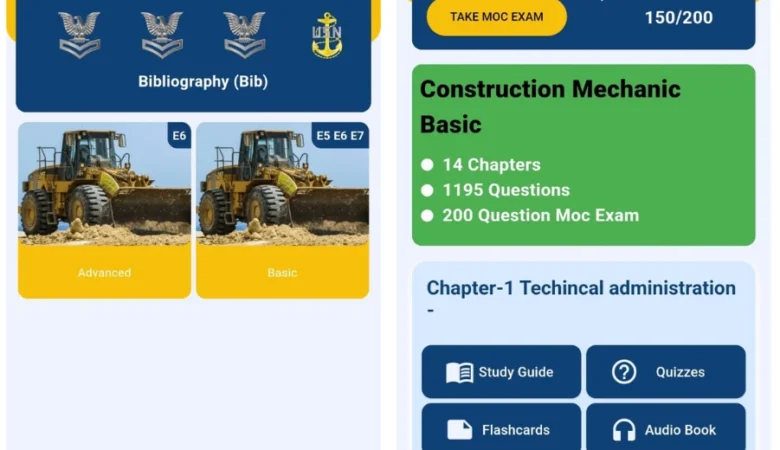
SeaBee – The Best Navy
SeaBee – The Best Navy Exam Study App Built for US Navy Seals Project Overview
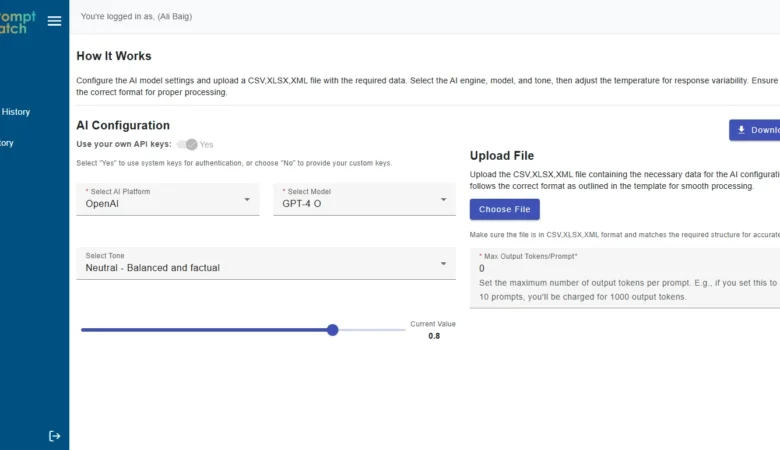
PromptBatch: Save 50% with AI
PromptBatch: The Best AI Batch Prompt Processing Web App | Orbilon Tech Project Overview PromptBatch
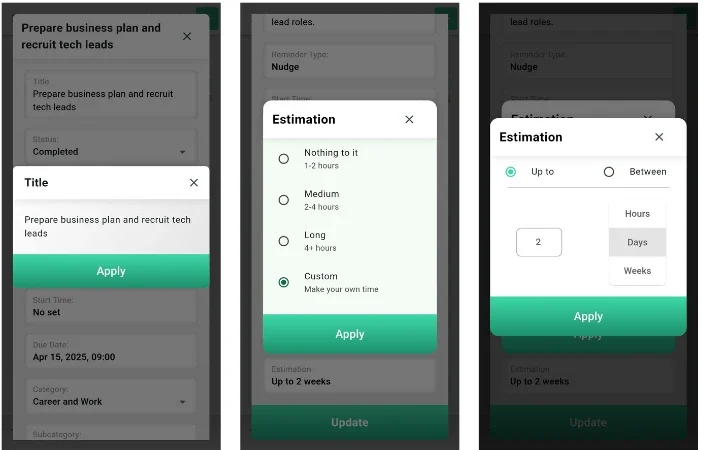
Spheres – The Revolutionary AI
Spheres – The Best AI Life Manager Mobile App That Actually Knows You Project Overview
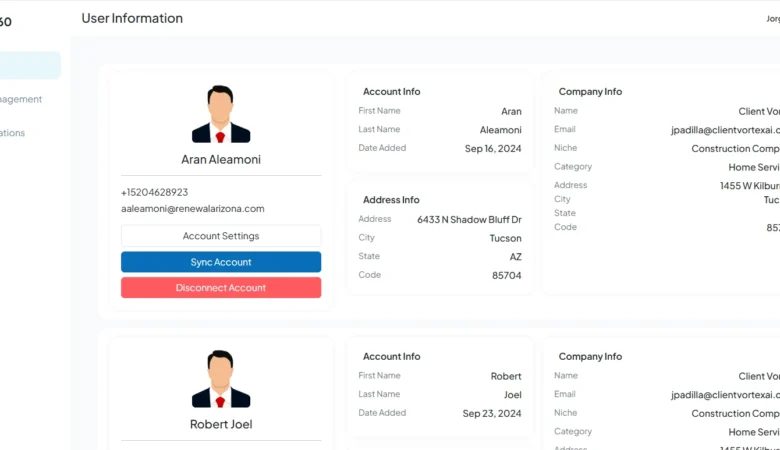
Rep360 AI – AI Bot
Rep360 AI – AI Bot Integration for GHL Workflows That Automates Sales Conversations Project Overview
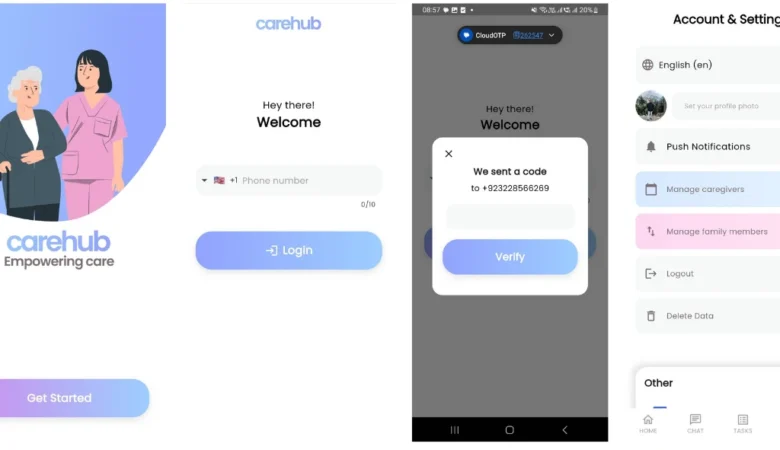
CareHub – Powerful Caregiver Communication
CareHub – Caregiver Communication App With Auto Translation CareHub App – Empowering Care CareHub is
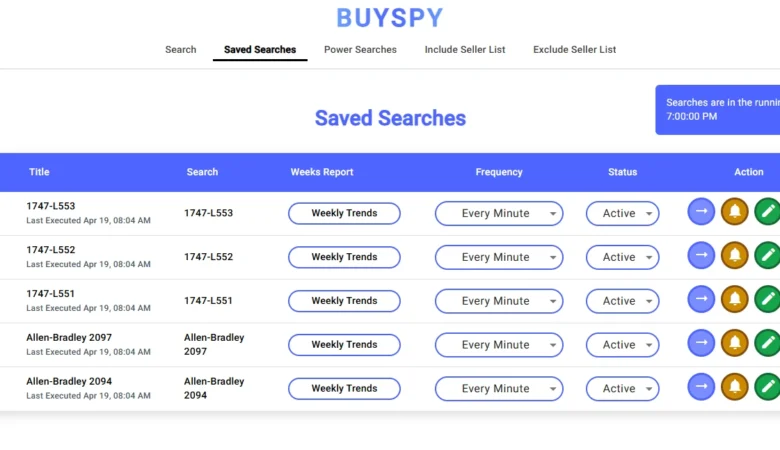
BuySpy – Ultimate Real-Time eBay
BuySpy — A Powerful Real-Time eBay Search Alerts App for Web & Mobile BuySpy is
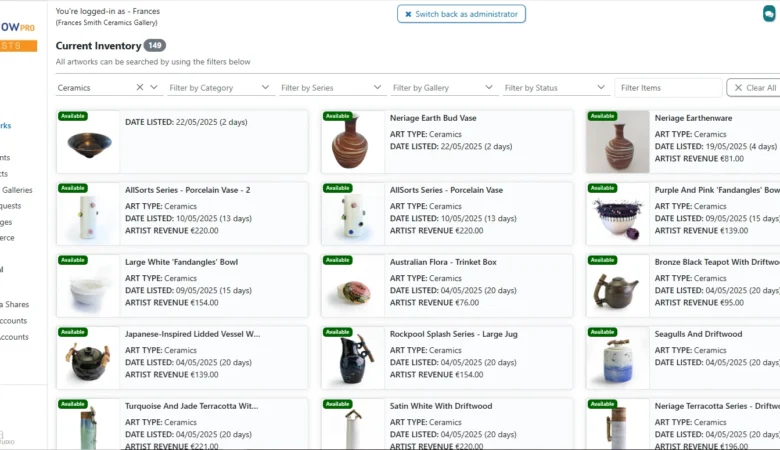
ArtFlow Pro — The Art
ArtFlow Pro — Full-Stack Art Gallery SaaS Platform for Artists & Galleries ArtFlow Pro –
Reviewed by Clutch, Rated by Real Clients
Here’s what some of our clients have said about us, Clutch:
Want to Hire Us?
Are you ready to turn your ideas into a reality? Hire Orbilon Technologies today and start working right away with qualified resources. We will take care of everything from design, development, security, quality assurance, and deployment. We are just a click away.