Clawdbot AI: The Game-Changing Automation Tool That Integrates with Everything You Use
Introduction
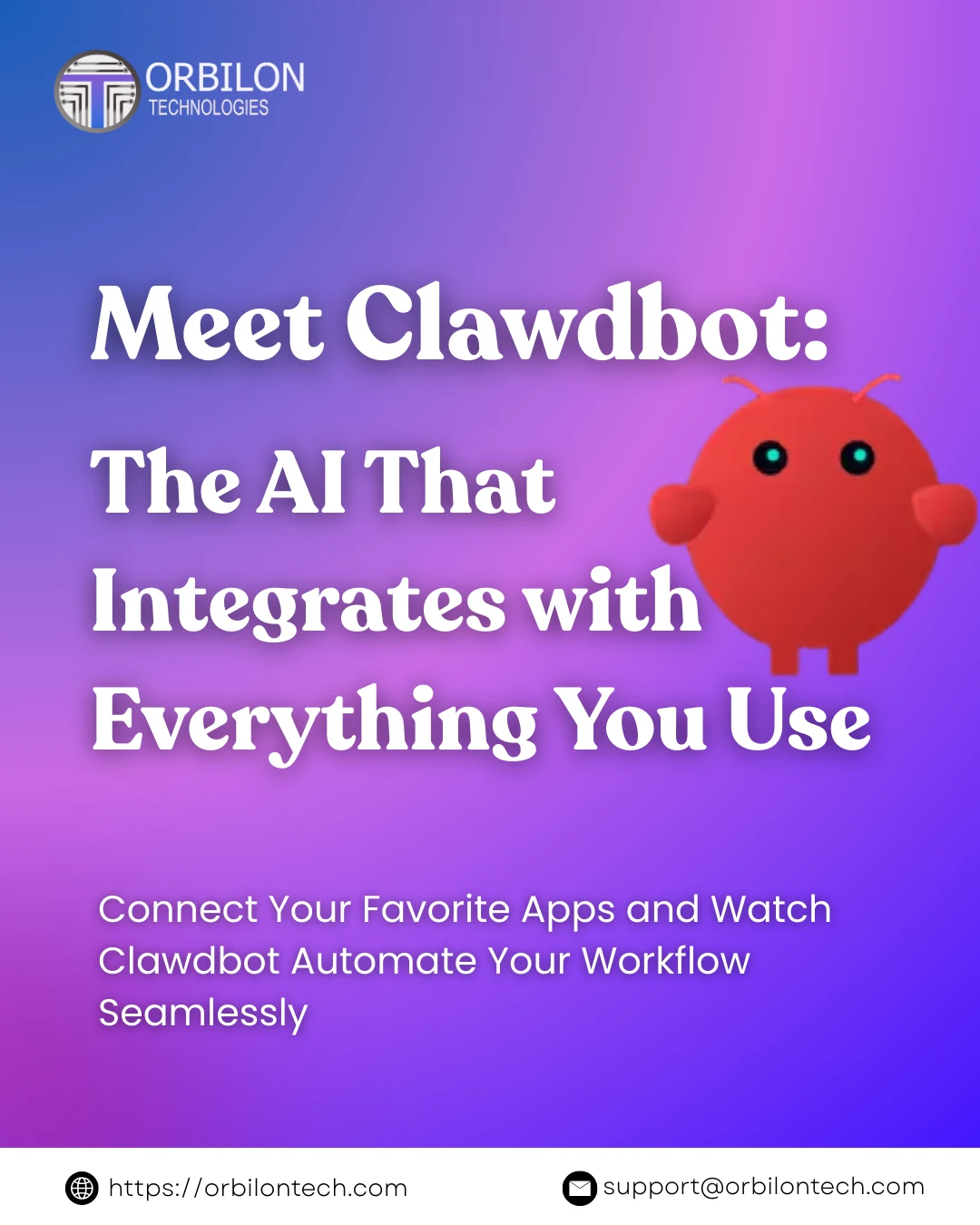
Once upon a time, AI assistants were just chatters, and they never did anything practical. That era has changed. Say hello to Clawdbot, an AI automation tool that is making waves in 2026 simply because it not only talks but also acts.
If you have stumbled upon this post, the odds are that you are not a stranger to technology. Hence, we can forgo the pleasantries and get straight to the essence of how Clawdbot differs, which companies have already started to adopt it, and if it is a good investment in terms of time for you.
What is Clawdbot?
Clawdbot is your very own open-source AI assistant that resides and operates locally on your devices. In contrast to the chatbots that depend on the cloud, it can integrate and automatically execute tasks from your tools, such as Gmail, Slack, Google Calendar, GitHub, WordPress, and many more.
You can think of it as a virtual team member who never gets tired and is not limited to just one platform but works across all of them. Besides that, he/she knows your ways of working. And what is more amazing is that all of your data remains on your computer. No cloud storage, no need to worry about your privacy.
Key Features:
- Cross-platform (WhatsApp, Telegram, Slack, Discord, Teams) instant messaging support.
- Voice-enabled interactions on macOS, iOS, and Android.
- Execution of tasks in real time with over 50 integrated services.
- Development of new skills using natural language.
- Privacy-first local architecture.
How ClawDBot is Working Behind the Scenes?
ClawDBot is facilitated by a lightweight local “Gateway” software that stays on as a background process on your PC (Mac, PC, Linux, Raspberry Pi, or cloud server). This Gateway establishes connections to:
Messaging Platforms:
- WhatsApp.
- Telegram.
- Discord.
- Slack.
- Signal.
- iMessage.
- Microsoft Teams.
- Google Chat.
- BlueBubbles.
- Matrix.
- Zalo.
- WebChat.
AI Models (your choice):
- Anthropic Claude (Opus, Sonnet, Haiku).
- OpenAI (GPT, 4, GPT, 3.5).
- Local models via Ollama.
- Any API, compatible model.
Apps and Services (extensible):
- Email (Gmail, Outlook, any IMAP/SMTP).
- Calendar (Google Calendar, Outlook, iCal).
- Notes and wikis (Notion, Obsidian, Evernote).
- Code repositories (GitHub, GitLab).
- Music (Spotify, AppleMusic, multi-room audio).
- Smart home (Philips Hue, thermostats, IoT devices).
- Browser automation (Chrome, Chromium).
- Files and system access.
- And 50+ more integrations.
You send a message like “Clear my inbox of newsletters” from WhatsApp on your phone. Clawdbot receives it, uses AI to understand your intent, accesses your email, identifies newsletters, unsubscribes or archives them, and reports back all automatically.
Real-World Use Cases
Clawdbot is a very versatile tool. Let’s see how it works:
- Developers: Imagine the scenario when you have pushed the code at 2 in the morning, and the next morning you find that Clawdbot has automatically created pull requests, run tests, and notified your team on Slack. A developer shared that the bot became their assistant for three projects simultaneously as it took care of the communication in the entire CI/CD pipeline.
- Business Teams: Salespeople are turning to Clawdbot for prospect research before meetings. It not only fetches data from CRM systems but also checks LinkedIn, goes through company news, and prepares briefing documents, all behind your back while you’re still on the previous call.
- Content Creators: Bloggers and marketers use Clawdbot to track RSS feeds, get summaries of the latest headlines in the sector, create drafts for social media updates, and schedule content across different platforms. One blogger testified that the tool has helped them to reduce the content preparation time by 60%.
- Personal Productivity: People are doing all kinds of automations here, from checking in for flights to sorting emails. Clawdbot has the ability to watch the inbox, decide which emails should come first, write the answers based on the user’s style of writing, and also organize meetings according to the calendar availability.
Industries That Get The Most Out Of
- Software Development & IT: Engineering squads reap the greatest benefit from Clawdbot’s GitHub integration and lineup of software features. It can analyze the code, offer improvement suggestions, auto-document, and manage the deployment pipeline.
- Digital Marketing & Content: Marketing teams enjoy automated content aggregation, social media handling, and campaign tracking. Clawdbot keeps an eye on analytics, makes reports, and even recommends optimization practices.
- E-commerce & Retail: Clawdbot is the online retailer’s choice for keeping track of the stock, responding to customer inquiries, automating the order process, and doing market research. It can fetch competitor price data and tweak the strategies accordingly.
- Healthcare Administration: Chemo clinics employ Clawdbot for scheduling patient appointments, following up with patients, handling paperwork, and confirming insurance, all the while keeping the data locally and in compliance with HIPAA.
- Finance & Consulting: Financial experts find it handy for conducting market research, preparing reports, managing client communication, and running data analysis from a variety of sources.
The Implementation Process
Surprisingly, the initiation of Clawdbot is not complicated at all for a tool that has such a high level of power:
Step 1: Installation (5 minutes)
If you are a macOS or Linux user, you can just type the one-line command:

Windows users can use the WSL2 (Windows Subsystem for Linux) to run it.
Step 2: Onboarding Wizard (10-15 minutes)
Run clawdbot onboard and follow the interactive setup. The wizard helps you understand:
- Gateway configuration (the control plane).
- Workspace setup.
- Channel connections (WhatsApp, Slack, etc.).
- Basic skills installation.
Step 3: Connect Your Tools (15-30 minutes)
Begin to link your services. Clawdbot’s architecture is that of a plugin, and the great thing about it is that it can integrate with a wide range of wonderful apps, to name a few:
- Productivity: Gmail, Google Calendar, Todoist, Notion, Obsidian.
- Communication: All major messaging platforms.
- Development: GitHub, GitLab, VS Code.
- Business: HubSpot, Salesforce, WordPress.
- Personal: Spotify, WHOOP fitness tracker, smart home devices.
Step 4: Create or Install Skills
Skills are the main distinguishing feature of Clawdbot. There are two ways of doing it:
- Using pre-built skills from the community.
- Having Clawdbot create custom skills for your specific needs.
- If you want total command, create your own with TypeScript/JavaScript.
Here is the crazy part: you can literally say to Clawdbot, “Please, can you create a skill to check my Todoist tasks and send me a summary every morning?” and it will handle that on its own.
Step 5: Test and Iterate
Starting out with automations that are simple in nature and then, step by step, increasing the complexity level. Watch how things go, make changes if necessary, and gradually ramp up the number of automations in your world.
Technical Architecture (For the Nerds)
Clawdbot architecture is remarkably resistant and flexible:
- Gateway System: A WebSocket control plane operating on localhost (port 18789) that oversees the sessions, channels, tools, and events. It is the nerve center of all agent operations.
- Multi-Agent Routing: You may have several agents, each operating independently with their own different environment and sessions. This is ideal for running personal and work automations separately.
- Tool Integration Layer: Modular talents coded in TypeScript/JavaScript with regulated system privileges. Each of them is executed in a sandbox environment for safety.
- Browser Control: Directly integrated Chrome/Chromium control through CDP (Chrome DevTools Protocol) for web-based automation jobs.
- Voice Integration: ElevenLabs for natural voice interactions is used for wake word detection and talk mode.
Privacy and Security Considerations
Acknowledging the most pressing question: Is it safe?
- Local-First Architecture: All data processing stays on your device. No data is sent to external servers unless you deliberately set up third-party integrations.
- Open Source Visibility: The full codebase is on GitHub. Security analysts have the ability to scrutinize every single line of code.
- Security Measures for Risky Operations: Docker incorporation and permission handling allow risky operations to be executed in isolated environments.
- Self-Hosted Empowerment: You have a say in the infrastructural decisions. Fancy running it on a private VPS? Go for it. Desire an air, gapped operation? That’s doable.
- API Key Storage: Encrypted credential vaults ensure the safety of your service API keys.
Nonetheless, you should only rely on security if the implementation is robust. Employ strong authentication methods, regularly update the systems, and adhere to the security guidelines.
Cost Analysis
To begin with, Clawdbot is so novel:
Software Cost: $0 The Clawdbot itself is a free and open source project.
Infrastructure Cost:
- Local install: Free (uses your existing hardware).
- VPS deployment: $5 to 20/month, depending on your needs.
- Mac Mini for dedicated running: One-time cost (a lot of users report these are sold out because of Clawdbot’s popularity).
API Costs:
- For the AI models (Claude, GPT, -4, etc.), you will require API access.
- Users generally spend between $20 and $100 per month according to their usage.
Total Realistic Cost:
Clawdbot can be used by the majority of professional users at $25 to 150/month, whereas commercial automation platforms with equivalent features cost $500 to 2000/month.
Challenges and Limitations
Here are several limitations we should acknowledge:
- Technical Setup Required: The onboarding wizard makes it easy, but you still need to be somewhat comfortable with the command line. So it’s not quite a no-code solution (yet).
- Initial Configuration Time: You should be ready to put in about 2- 5 hours to get all the basic stuff set properly. If you plan on having very complicated custom workflows, it will take even more time.
- Learning Curve: It takes a while to get to grips with the skill system as well as the agent architecture. Although there is a lot of documentation, it’s written at a high level and quite dense.
- Platform Dependencies: Some integrations run better on macOS/Linux, while Windows support through WSL2 adds another layer of complexity.
- Community-Driven Support: There’s no official customer service line. You have to depend on the Discord community and GitHub issues.
- Model Dependency: The results mainly depend on the AI model you select. Claude Opus or GPT, 4 give the most impressive results but is pricier.
Comparison with Alternatives
- Zapier/Make: Zapiers implifies the setup but provides less flexibility and has higher costs when scaling. Clawdbot requires a technical investment initially, but it allows unlimited customization and has lower costs in the long term.
- ChatGPT/Claude: These are basically conversational tools. Clawdbot, on the other hand, performs tasks across your systems. They are totally different categories.
- Apple Shortcuts/Windows Power Automate: Platform automation tools are perfect for very simple tasks, but they do not have AI reasoning and cross-platform features.
- n8n: n8n is more similar in idea, but it centers on building workflows. Clawdbot incorporates AI reasoning and control by natural language.
Getting Maximum Value
- Start Small: Pick only one or two most effective automations at first. Get fully trained on them before you move on.
- Join the Community: There are thousands of users on the Discord server who exchange skills and solutions. Do not reinvent the wheel.
- Document Your Workflows: While you are developing automations, keep a record of them. Your future self will be grateful.
- Combine Skills Creatively: The true power is in chaining multiple skills together. Develop your skills as workflows rather than as single tasks.
- Iterate Based on Usage: Check which one really saves you time, and which one just looked cool in theory. Focus more on your winning bets.
Future Outlook
Clawdbot was introduced at the end of 2025, and its popularity skyrocketed in the first quarter of 2026. The trajectory of the three graphs indicates that this is only the start.
The trend toward “agentic AI”, systems that can understand goals and autonomously execute multi-step workflows, is accelerating. A survey of executives revealed that 78% agree that their companies will reinvent their operating models to be based on these technologies.
What distinguishes Clawdbot from other market solutions is that it is an open solution, while most of the market is comprised of proprietary products. As AI becomes more pervasive in enterprises, local-first tools such as Clawdbot will be a strategic infrastructure.
Why Orbilon Technologies Suggests Clawdbot?
At Orbilon Technologies, we have reviewed several AI automation tools, and Clawdbot surprised us for many reasons:
- Authentic Productivity Gains: Not speculativeusers share that they are saving between 10-20+ hours weekly.
- Privacy-First Architecture: Your data remains only yours, extremely important for business usage.
- Extensibility: Adjusts to your changing requirements, not only to pre-defined features.
- Open Source: Thorough, verifiable, community-oriented development.
- Future-Proof: Leveraging open standards and protocols, not vendor lock-in.
- Active Development: Frequent releases, community partnership, and ongoing enhancements.
Conclusion
Clawdbot signals a major change in our perception of AI assistants. It’s not flawless, the technical setup is a reality, and you’ll need to be patient during the application. However, for teams and individuals who are willing to put in the effort initially, the result is rewarding.
If you are a seasoned user of command-line tools and API integrations, Clawdbot probably deserves your serious consideration. The mix of local control, unlimited customization, and vibrant community support forms a strong base for workflow automation.
The question is not whether AI automation will change knowledge work; this is already happening. The question is whether you want the change to happen in your way, with your data remaining under your control.
Engineering teams at Orbilon Technologies and similar companies could find a very interesting route with Clawdbot: excellent automation without being tied to a vendor, AI features without privacy sacrifices, and flexibility without giving up security.
About Orbilon Technologies
Orbilon Technologies partners with businesses and individuals in harnessing the latest AI tools to not only significantly raise the level of their productivity but also to cut down costs and to become better at making data-driven decisions. We are turnkey solution providers for AI-driven digital assistant tools such as Clawdbot, Claude, and other automation platforms, where we offer implementation support, training, and consultation services.
- Email: support@orbilontech.com
- Website: https://orbilontech.com
Ready to explore Clawdbot?
- Official Website: https://clawd.bot
- GitHub Repository: https://github.com/clawdbot/clawdbot
- Documentation: https://clawd.bot/docs
- Community Discord: Join via the website.
The future of work is automated, intelligent, and under your control. Clawdbot is helping make that future accessible today.
Want to Hire Us?
Are you ready to turn your ideas into a reality? Hire Orbilon Technologies today and start working right away with qualified resources. We will take care of everything from design, development, security, quality assurance and deployment. We are just a click away.